Service Invoice Pro
Menu
PROCash Flow and Client Experience

Automated Recurring Billing for Service Businesses

Set up repeat invoices for weekly, biweekly, monthly, and maintenance-style clients so billing runs automatically and no cycle gets missed.

Auto-generate and optionally auto-send repeat invoices for recurring service clients on weekly to yearly schedules.

Works for LandscapingWorks for Lawn CareWorks for CleaningWorks for Plumbing
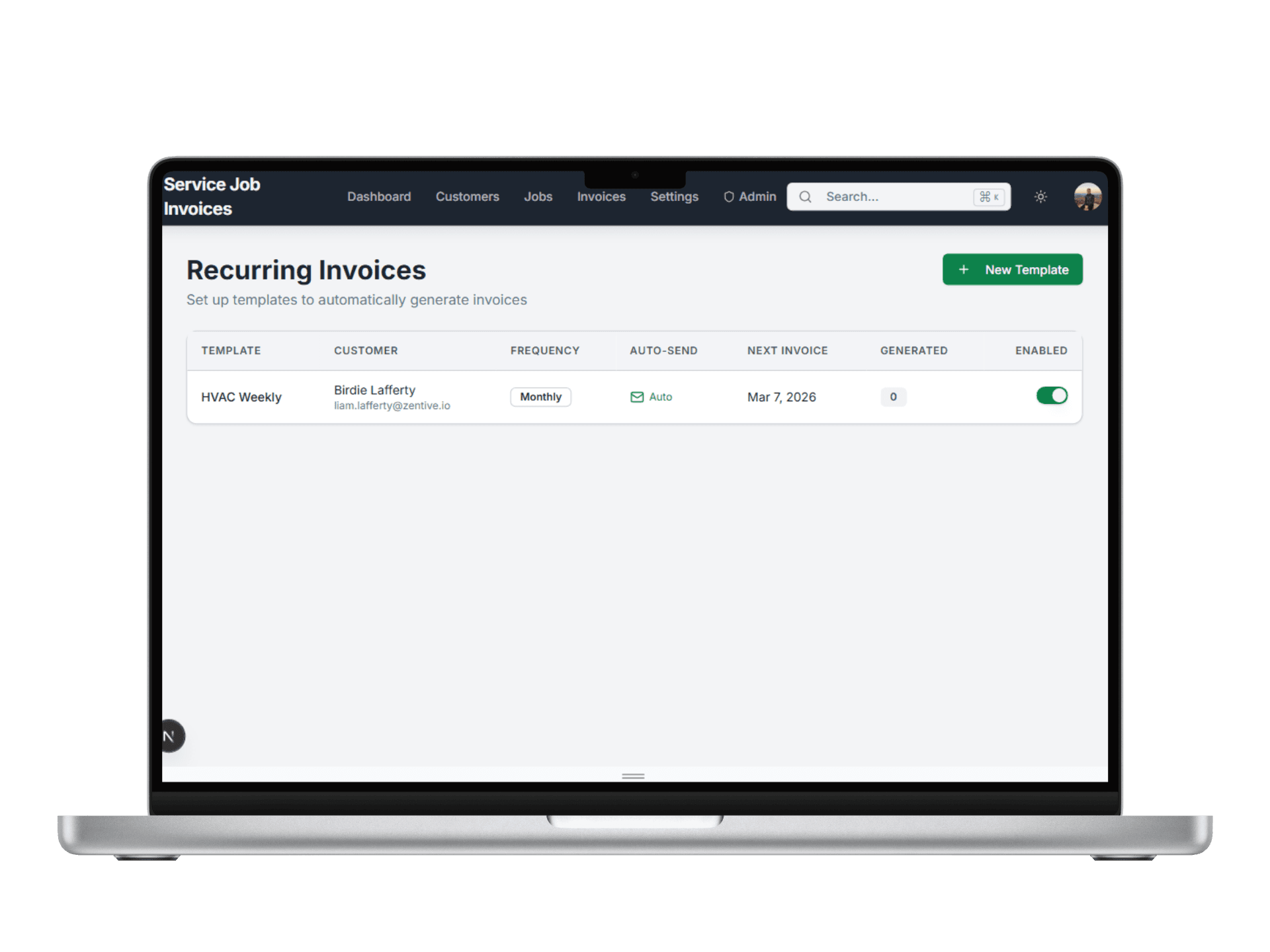
Service Invoice Pro recurring invoices screen

Use This When

What this workflow is built for

recurring billing software for service businesses
weekly route billing
monthly maintenance invoices
repeat-service automation

Best For

  • Route-based service businesses with repeat clients.
  • Teams billing maintenance and recurring service work.
  • Owners replacing manual recurring invoice entry.

Customer Types

  • Solo Owner-Operator
  • Office + Field Team
  • Recurring Route Business
  • Property-Manager Focused

Proof Points

Why teams upgrade into this workflow

Built for field service teams

This page ties the workflow to service trades, not generic office accounting use cases.

Free-first buying path

Teams can start with free invoicing and only move to Pro when this workflow creates obvious operational value.

Related workflows are connected

The marketing path links estimating, scheduling, payments, and reporting instead of presenting isolated product fragments.

How Recurring Billing Works

1

Create a Template

Set up recurring invoice details once with customer, services, amount, and terms.

Recurring billing step 1 create invoice template
2

Set the Schedule

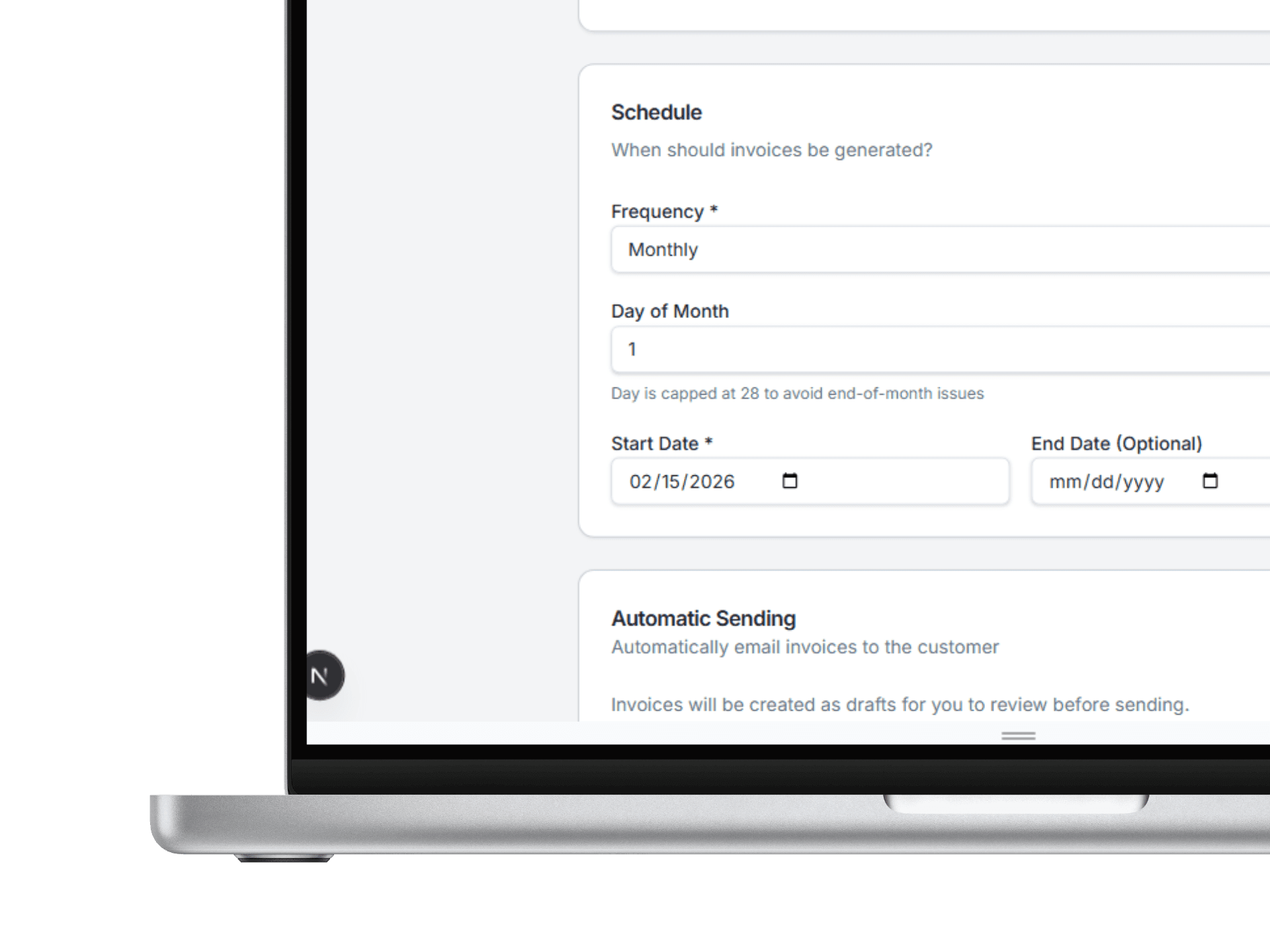
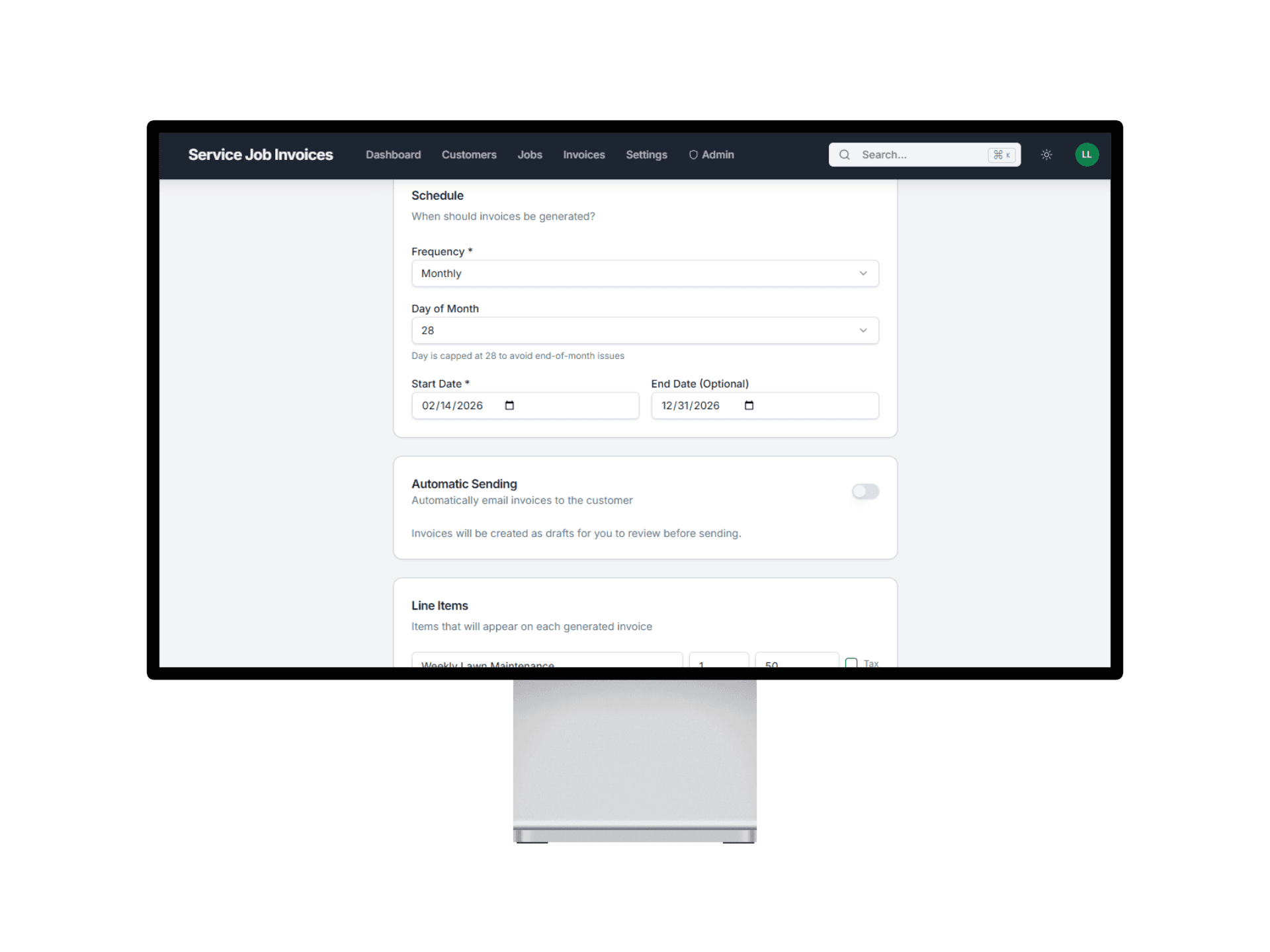
Choose weekly, biweekly, monthly, or custom timing and set start dates.

Recurring billing step 2 set recurring invoice schedule
3

Invoices Go Out Automatically

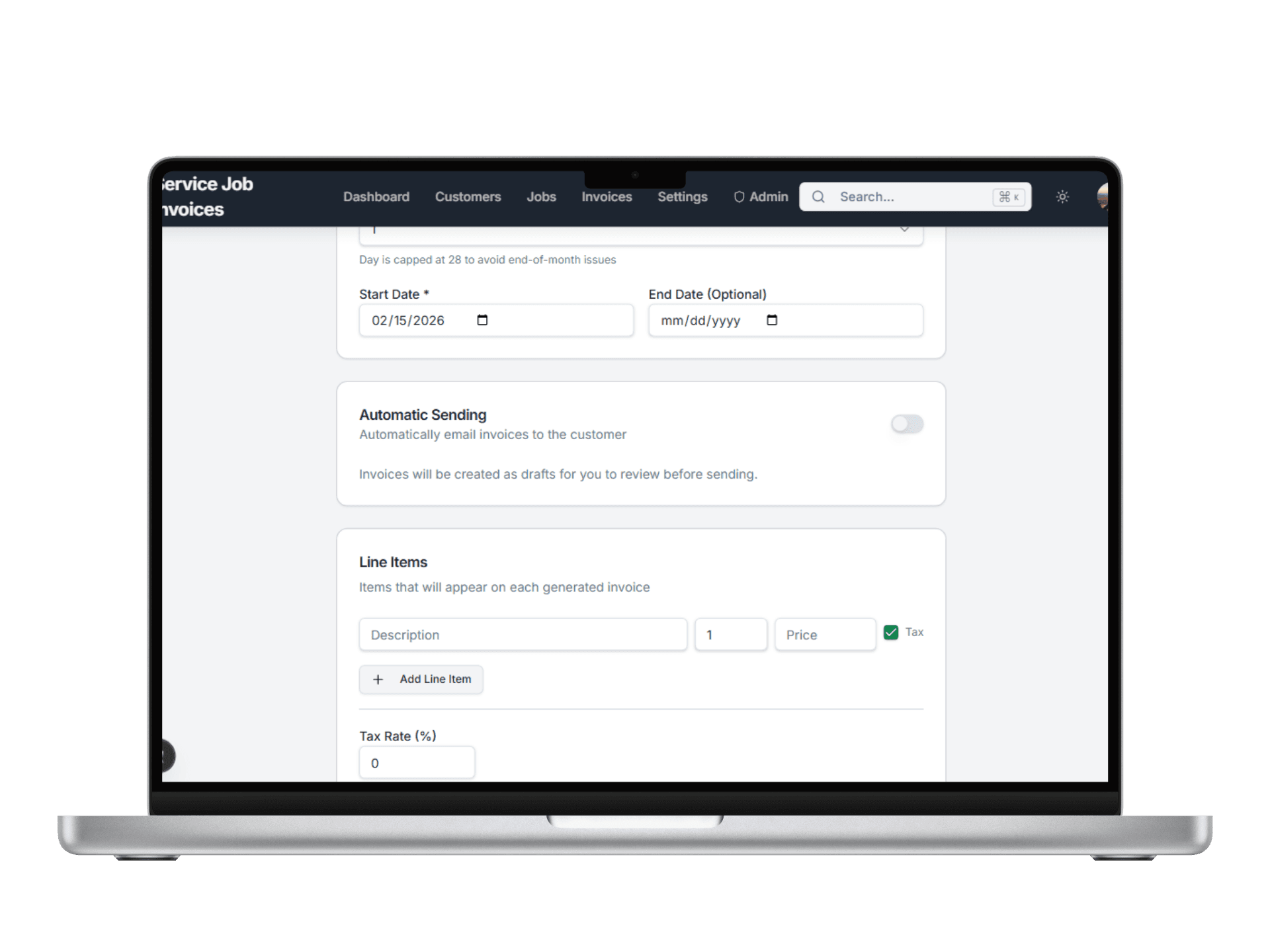
Invoices generate on schedule so your team can stay focused on the work.

Recurring billing step 3 automatic recurring invoice send

What You Can Do With Recurring Billing

Match billing schedules to real service cycles

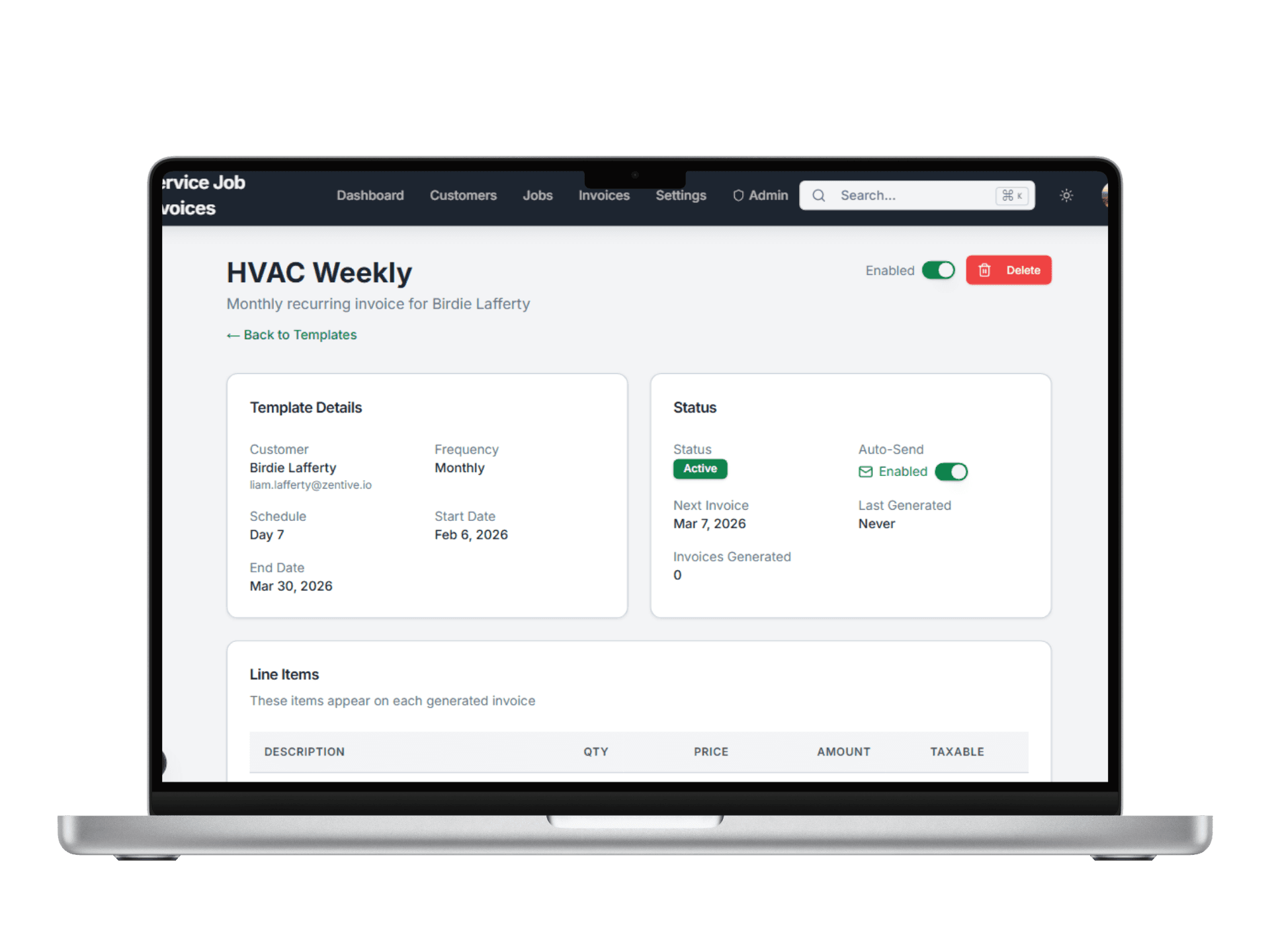
Set billing cadence that fits weekly routes and long-term maintenance contracts.

  • Support weekly, biweekly, monthly, and custom timing
  • Align recurring billing with your service calendar
  • Run different schedules across different clients
Flexible recurring invoice schedules screen

Related Workflows

Explore the next workflow after this one

These related pages are the fastest path to understanding how Service Invoice Pro connects sales, billing, collections, and operations.

How Recurring Billing Fits Your Trade

Frequently Asked Questions

Is recurring billing included in the free plan?

Recurring billing is a Pro feature. Teams can start on the free plan and upgrade when repeat-service billing needs automation.

Can I set different schedules for different clients?

Yes. Each recurring template can have its own schedule, cadence, and settings.

Can recurring invoices send automatically?

Yes. Templates can create draft invoices for review or auto-send invoices depending on how you want the workflow to run.

How is recurring billing different from service agreements?

Recurring billing focuses on repeat invoicing. Service agreements connect the repeat relationship itself to recurring work, scheduling, renewals, and contract-style service delivery.

Get Started

Start Invoicing for Free Today

Join landscapers, plumbers, cleaners, and contractors already invoicing for free. No credit card. No time limit.